Is There a Paint by Numbers App, and Do You Need One?
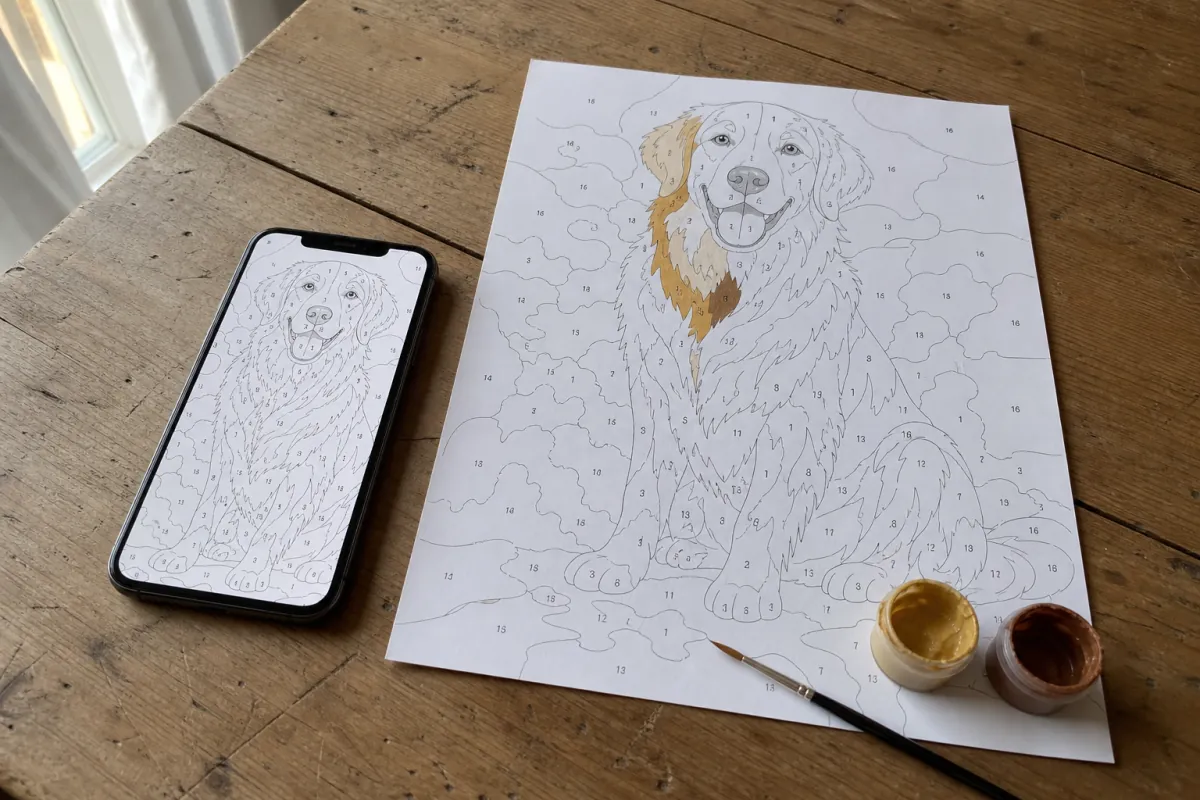
It is nine in the evening, you are on the couch, and you type turn photo into paint by numbers into your phone. The fourth result is the Google Play Store. Not a website — an app, with a download button and a four-point-something rating. So you install it, because that is what the search result told you to do.
We looked at that search on 20 August 2026 from the United States, at thirty results deep. The Play Store listing sits in the top ten for eight of the ten photo-to-pattern searches we checked, and a Reddit thread called Free paint by numbers generator? sits at number three. That combination tells you everything: people go looking for an app, and then they go to Reddit to ask which one is not rubbish.
Three different things are all called an app
Search the store for "paint by numbers" and you get three categories that have almost nothing to do with each other. Knowing which one you are downloading saves you the install.
| What it is | What it does | What you end up with |
|---|---|---|
| A colouring game | You tap numbered areas on the screen and they fill with colour | Nothing physical. It is a puzzle game with a paint theme |
| A pattern maker | Turns your photo into a numbered pattern you can export | A file, usually behind a subscription or a per-export fee |
| A kit shop | An order form for a printed canvas made from your photo | A box in the post, in one to three weeks |
Most people looking for "an app to turn my photo into paint by numbers" want the middle one and download the first one, because the colouring games have the download numbers and therefore the store rankings. That is not the app's fault. It is what happens when one phrase covers three products.
What you give up by installing anything
An app is not free of cost just because it costs nothing. Three things you hand over the moment you tap install:
- Photo access. A pattern maker needs your photo. Whether that photo stays on your phone or goes to a server is a question you have to answer per app, in a privacy policy you are not going to read on a phone at nine in the evening.
- Your export. Making the pattern is usually free; getting it out of the app at a size you can print is where the paywall sits. You find that out after you have already picked the photo and fiddled with the settings.
- Print resolution. A pattern that looks sharp on a 6-inch screen is not the same file as one made for A3. If the export is screen-sized, the numbers turn to mush the moment it hits paper.
Where an app genuinely wins
Being honest about it: there are two cases where an app is the better answer, and we are not one of them.
If you want to colour on the screen — on a train, in a waiting room, with no paper and no paint anywhere — then a colouring game is exactly the right thing and a website is a poor substitute. And if you are somewhere with no signal at all, an installed app keeps working and a browser tool does not.
One more, at our own expense: several apps let you export a low-resolution pattern for nothing, where our printable PDF costs 8.95 euro. If all you want is a rough pattern on A4 and you do not care how the eyes come out, you can get that for free elsewhere. We think the difference shows up the moment you paint it, but that is our opinion and you can test it in thirty seconds — see below.
What we would do
Use the browser, and skip the install. Not because apps are bad, but because for this particular job the install buys you nothing. A pattern maker in a browser runs on the phone you already have, on your partner's laptop, and on the library computer, without three separate accounts. Your photo never leaves your device unless you order something. And on a phone you can add the page to your home screen — on iPhone through the share icon in Safari, on Android through the browser menu — after which it opens full screen with its own icon. Same tool, no download, no permissions dialog, nothing to uninstall later.
Where an app still beats that is on-screen colouring and offline use. If that is what you are after, go and get one. If you want a pattern you are going to paint with real paint on real paper, you do not need one.
Do this before you install anything tonight
Take one photo — a portrait, head and shoulders, taken indoors — and run it through whatever you are considering. Then zoom in on one eye at full size. If the pupil is its own area with a separate highlight in it, the tool is doing real work. If the whole eye is one grey blob, it will flatten everything else in that photo too, and no amount of stars in the store changes that.
Thirty seconds, one photo, and you have ruled out most of them. You can run that test here without installing anything, or read the longer version in which paint by numbers generator to use.
What we are watching
Whether Google keeps handing a top-ten slot to a store listing for a search that is about making a pattern rather than playing a game. That mismatch is why the Reddit thread ranks so high: people click the app, find a colouring puzzle, and go ask a human instead. We will check the same thirty results again in a few weeks and see whether the store listing holds.