Which Paint by Numbers Generator Should You Use?
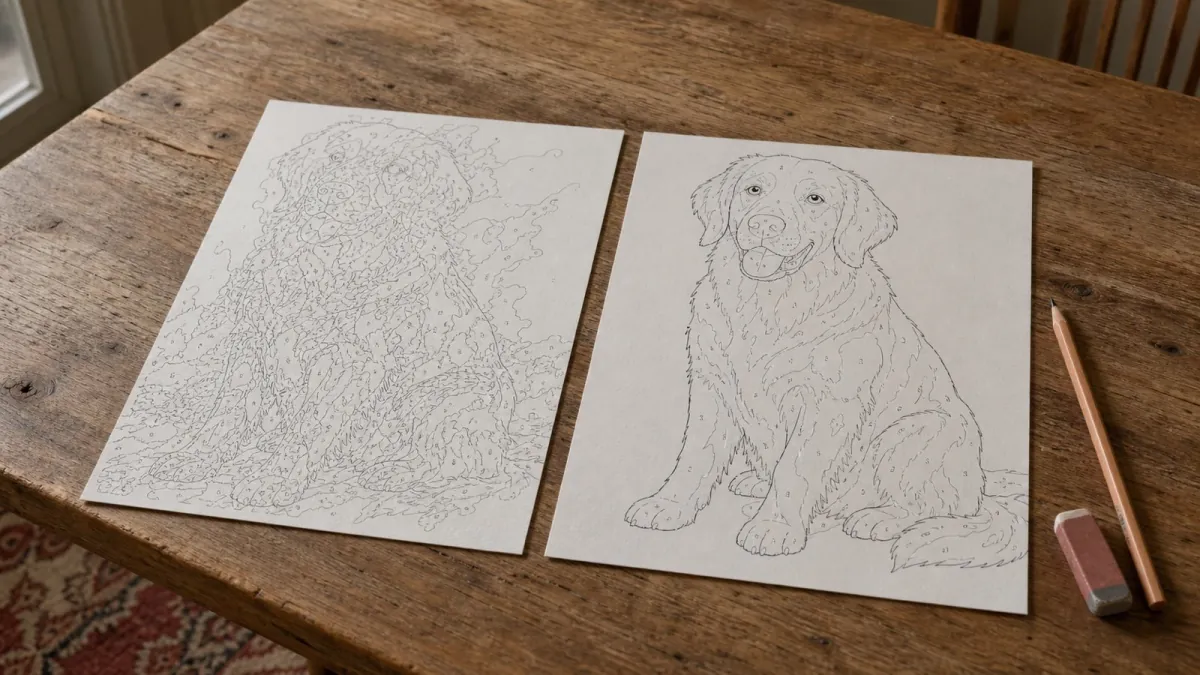
Upload a photo to five different paint by numbers generators and you get five very different results. Not slightly different — one gives you something you could hand to a beginner, and another gives you a map of coloured blotches where the dog has no ear. Same photo, same colour count. The difference is in how the generator decides where to draw a line, and almost nobody explains it.
The thing that separates a good generator from a bad one
Nearly every free generator works by reducing your photo to a fixed number of colours and then outlining the patches that share a colour. That is called colour quantisation, and it has one flaw that ruins the result: it draws borders between light values, not around objects.
Put a photo of a dog in low sunlight through it and you get a line straight across the fur where the light falls, because that is where the brightness changes. But you get no line at the edge of the ear, because the ear and the background behind it happen to be about equally dark. Your eye reads the ear instantly. The maths does not see it at all.
That is why so many generated patterns look fine as a thumbnail and fall apart when you actually paint them. The outlines follow the lighting, so once you fill the areas in you are looking at a shape you cannot recognise.
A thirty-second test you can run yourself
You do not need to read reviews. Take one photo — a portrait, head and shoulders, taken indoors — and run it through whichever generator you are considering. Then look at three places.
| Where to look | What a good result shows | What a weak result shows |
|---|---|---|
| The eye | The pupil is its own area, with a small separate highlight in it | The whole eye is one grey blob |
| The jawline | A line where the face ends and the background starts | The line wanders off into the background where the tones match |
| A flat wall behind the subject | One or two large calm areas | Dozens of thin bands, like a contour map |
The eye is the one that matters most. A portrait lives or dies on the pupil and its highlight. If a generator loses that little white spot, the finished painting will not look like the person, no matter how many colours you throw at it.
Minimum area size beats colour count
Most tools give you a colour slider and nothing else, so people assume more colours means more detail. It does not. The setting that decides whether a face survives is the smallest area the generator is willing to keep.
We tested this on a portrait at 40x50 cm with 36 colours. At a 5 mm floor the pattern had 552 areas and the iris was a single grey shape. Drop the floor to 2.5 mm and the same photo produced 974 areas — and the pupil came back, highlight included. Nothing else changed. That one setting is the difference between a painting that looks like someone and a painting that looks like a blur.
There is a cost, and it is worth knowing about: at 2.5 mm a handful of areas end up too small to carry a printed number. You paint those by looking at the colour next to them. That trade is almost always worth it on a face, and almost never worth it on a landscape.
Browser or server, and why you should care
Some generators do the work on their own servers, which means your photo is uploaded before you have decided anything. Other generators process the preview in your browser. Additional actions, such as ordering or requesting a discount, can still upload your photo. Check the privacy information for the tool you use.
Speed differs too, and not in the direction you would expect. The same pattern that takes about 22 seconds on a server takes around 5 seconds in a modern browser, because there is no upload and no queue behind other people's photos. What the browser does not buy you is resolution: the calculation grows with the number of pixels, so above roughly one megapixel any browser-based tool starts crawling. If a generator promises unlimited resolution instantly, something is being quietly downscaled.
Where our own tool comes from
Worth saying plainly, because it affects how you should read the rest of this article: the pattern engine on this site is built on an open-source project by drake7707, released under the MIT licence. It is a genuinely good piece of work and we did not write it from scratch. At least one other paint by numbers site runs the exact same engine in an iframe.
What we changed is the part that decides what survives: the colour clustering runs in LAB rather than RGB so skin tones do not drift, there is a blur pass before quantising so text and noise do not each become their own area, and the minimum area size is set for faces rather than for a tidy area count. That is the difference between our output and the raw engine, and you can check it yourself with the eye test above.
What to ignore
A few things get talked about a lot and do not predict the result.
- The number of colours offered. A tool offering 60 colours is not better than one offering 36. Past about 48 you are splitting gradients into bands too narrow to paint.
- Preview prettiness. The colour preview is easy to make look good. The numbered outline is the thing you actually paint from, so judge that.
- "AI-powered". Nearly all of these use the same decades-old clustering maths. The label tells you nothing about the outline quality.
The short version
Judge a generator on one portrait, and look at the eye. If the pupil and its highlight are still there, the tool is drawing shapes. If not, it is drawing lighting, and no amount of colours will fix that.
You can run that test here in a few seconds — upload a photo to the generator and look at the numbered outline, not the colour preview. If you already know the pattern is what you want, print it at home or order it as a kit.
Prefer pencils or markers over paint? The same engine also powers the color by number generator, which turns a photo into a printable colouring page with a numbered colour legend.