
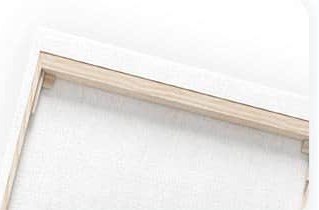
Printed canvas
Your photo, printed as numbered areas on sturdy artist canvas with fine, clear lines.
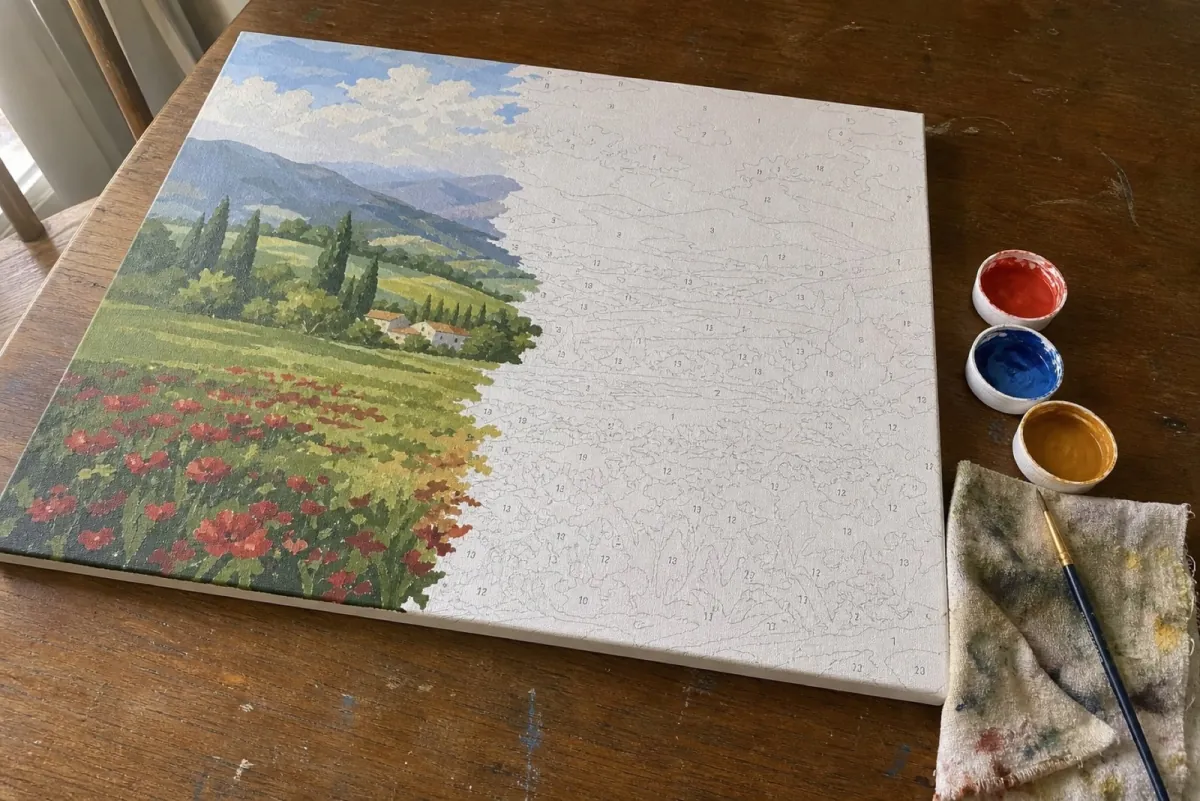
The numbered browser preview is free and does not require an account. The complete kit and printable PDF are separate paid products. A paid PDF is generated again for the selected paper size and can differ from the free preview.
Your photo as a complete kit · Print the pattern yourself · Go to the colour by numbers generator

Anonymous

Mb.

Sa.

Na.

60x80
Sm.

Creat example and print color by numbers!
Sm.
The browser builds a numbered preview from your photo and selected palette. It groups regions, draws outlines and places numbers. Those operations do not establish physical paintability: inspect the numbered pattern at its intended print scale before ordering.
The two 40 by 50 centimetre portrait previews below contain 902 and 987 numbered regions. Changing the canvas size or colour count rebuilds the pattern. Processing time varies with the photo, settings and device.
The generator produces regions from the uploaded pixels. Inspect the source photo alongside the numbered preview; the result depends on the photo and selected settings.
Choosing more colours changes the target palette. It does not establish how long a painting will take or whether its regions are comfortable to paint. Compare the numbered preview at the intended print scale.
The generator uses a minimum-area setting expressed against the chosen canvas size. That setting guides how small regions are merged; it does not prove that every numbered region can be painted comfortably. Inspect the numbered PDF at its intended scale. Brush clearance and physical painting were not tested in the comparison below.
Compare the numbered pattern at the size you intend to print. Check eyes, hair and other fine details rather than inferring paintability from canvas size or colour count alone.
A reduced-colour thumbnail can hide small boundaries. Inspect the numbered version as well: a tonal change may create a region that does not follow the outline of an object. The comparison below provides the numbered files; it is not a test of competitors or finished paintings.
Inspect the numbered examples below before choosing a pattern. They show the same portrait at two palette settings, with the recorded regions and downloadable files. The region count alone cannot tell you whether a brush fits comfortably or whether the finished painting will preserve a facial detail.
Compare the stored numbered portrait examples before choosing your own settings.
Start with a clearly visible subject. Compare the reduced-colour preview with the original photo: check whether important boundaries and facial details remain visible.
Small faces, dense backgrounds and fine text can leave small regions in a numbered preview. Try a crop around the subject and compare the result before choosing a pattern.
The numbered outlines give you a guide for each colour. Inspect the print at its intended size before ordering; this comparison does not supply a painting-time estimate.
You can work through the pattern one colour at a time. Keep the reference nearby and check the number before filling an area. No comparison of painting techniques or time savings was performed here.
The 24-colour preview had 902 regions. The 48-colour preview had 987. Both came from the same portrait at 40 × 50 cm, with the same 6% crop setting. Neither number told us how difficult the picture would be to paint.
For a paint by numbers portrait, the colour count is a choice about the palette. The resulting pattern deserves a separate look.
We used the public-domain Grace Hopper portrait and generated one preview for each palette. Both outputs measured 880 × 1,100 pixels. The images below are the actual generated results, exported to PNG for viewing.
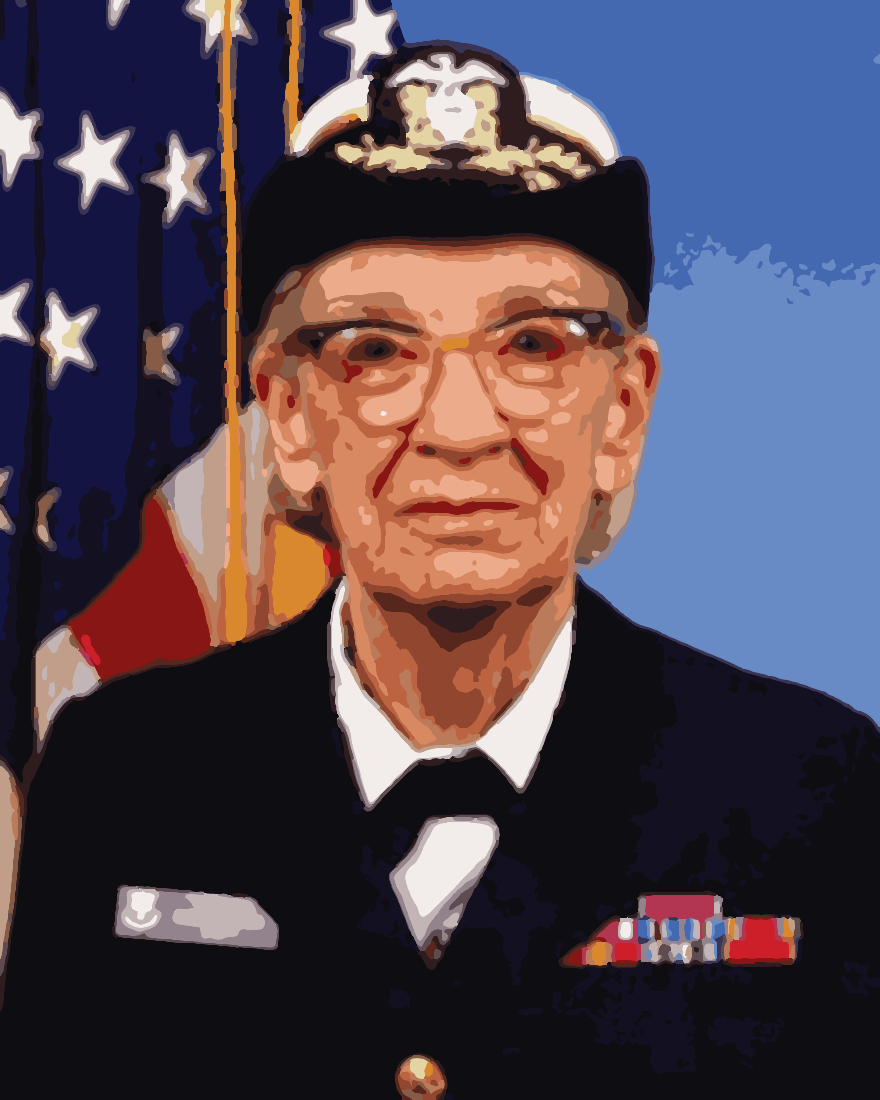
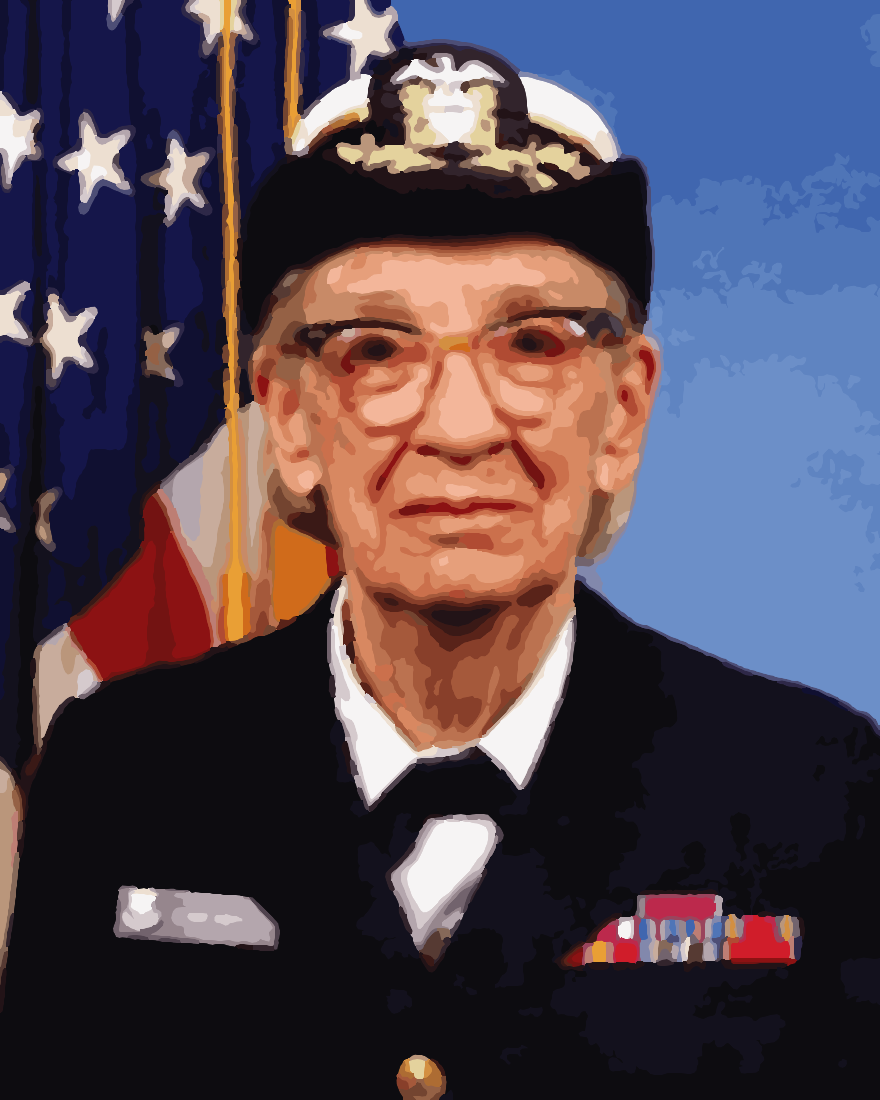
Source photo: James S. Davis / U.S. Navy, 20 January 1984, public domain via Wikimedia Commons. These are digital previews, not finished paintings. Both previews use the same crop setting.
| Setting or observation | First preview | Second preview |
|---|---|---|
| Selected colours | 24 | 48 |
| Canvas size | 40 × 50 cm | 40 × 50 cm |
| Output size | 880 × 1,100 pixels | 880 × 1,100 pixels |
| Counted regions | 902 | 987 |
The second output contained 85 more regions. We counted the region paths in the saved outputs. That is a description of these two results, not a general prediction for other photos.
These are the numbered versions saved from those same two runs. We did not regenerate the patterns for this view.
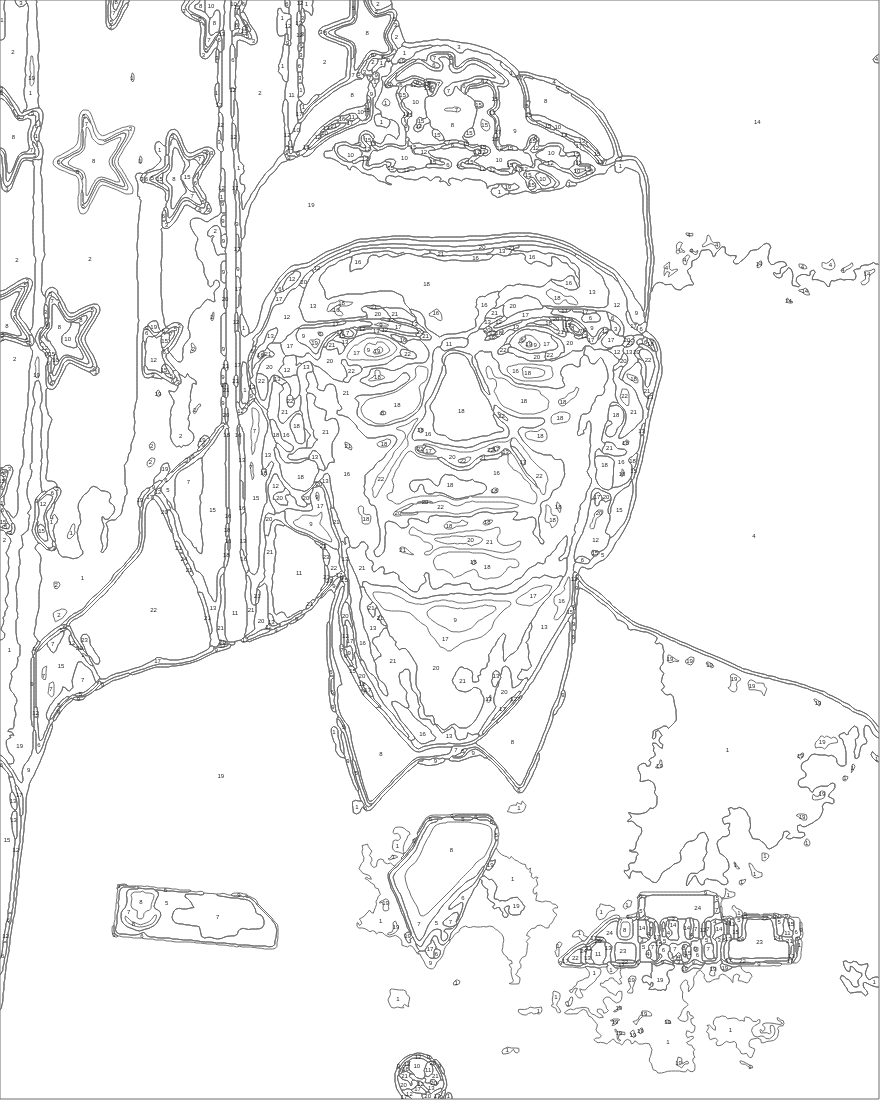
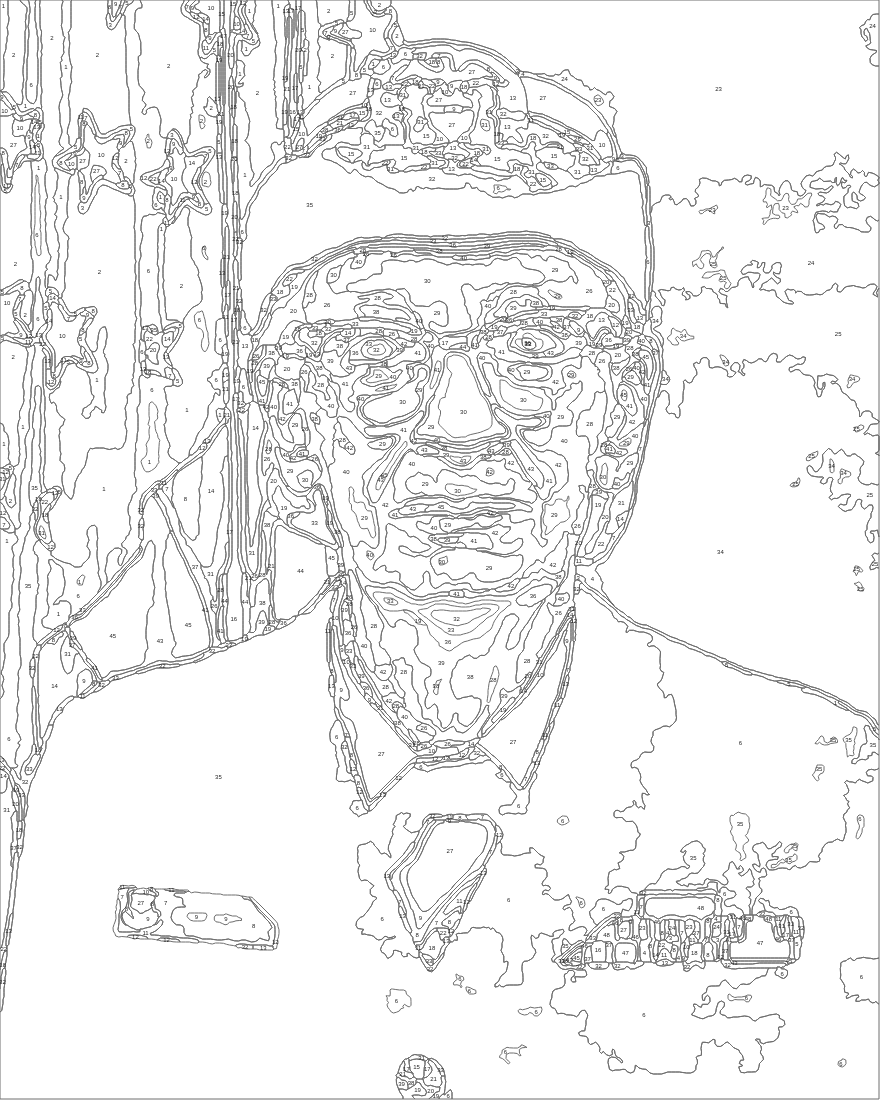
The detail views below show the same 320 × 320 pixel window, starting at x=280 and y=280 in each 880 × 1,100 output. At the selected 40 × 50 cm canvas size, that window spans about 14.55 × 14.55 cm. The images on this page resize with your screen; they are not a physical ruler.
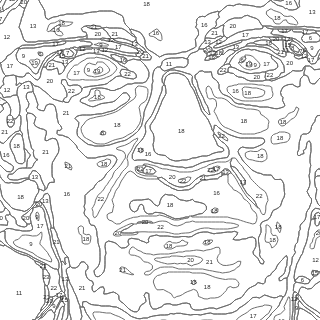
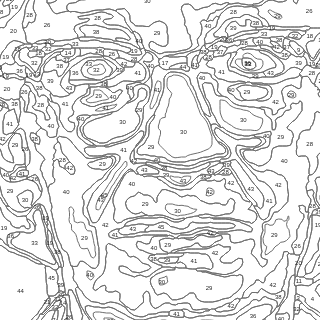
Download the 24-colour A4 detail sheet and 48-colour A4 detail sheet to inspect the intended scale. Print at 100%, without fit-to-page, and check the included 1 cm line. We verified the PDF geometry, not a physical print or painting.
The full 24-colour pattern and 48-colour pattern use nominal 40 × 50 cm PDF pages. Look at the numbers and narrow outlines around the glasses and mouth. Their presence is visible; whether your printer, paint and brush make them comfortable is still untested.
We would not label the 48-colour version “harder” on this evidence. A region count does not say how narrow a space is, whether its number is readable at print size or how easily you can reach it with a brush.
We also rejected an attempted shortcut: adding up the areas of the SVG contours. Those paths overlap, so their areas did not form a clean partition of the canvas. Treating them as disjoint paintable spaces would have produced misleading measurements. No smallest-region or brush-clearance claim follows from this comparison.
There is a further limit. We generated one result per palette without fixing a random seed. You cannot attribute every difference between the two pictures to the colour setting alone.
A painted preview helps you judge the appearance. For practical work, also inspect the numbered version at the size you intend to use. Check the face and the busiest details rather than deciding from the colour-count label alone.
Our current generator entry script also rejected broken JPEG bytes in an isolated browser test and displayed “This file is not a valid JPG, PNG or WebP photo.” That checked the actual file-decoding and error-display path with test elements. It was not a fresh complete live upload, painting job or checkout.
The explanation of printable paint by numbers covers the print step. The AI paint by numbers guide explains the conversion more broadly. The existing colour-count guide discusses palette choices; the saved numbered views here show these particular results. This pair adds a narrower point: two real previews can differ in region count without establishing which will be easier to paint.
Use Painting By Numbers to compare the actual previews rather than only the palette labels. Keep one photo, crop and canvas size while trying another palette. Save the previews you actually compared. The final choice should survive the numbered print view; we have not physically painted either of these examples.
Uploading a photo, generating a preview and inspecting it are free. The printable PDF and physical kit are separate paid products. The PDF order route recalculates the pattern from the source photo and settings on the chosen paper size, so the paid PDF can differ from the free preview. Inspect the delivered PDF; the examples on this page are stored comparison files, not a purchased export.
Use the generator in your browser without installing an app. Your photo stays on your device during the preview. It is uploaded when you order a PDF or kit, request a discount, or choose to share your result.
This preview starts from the uploaded photo, reduces its palette and produces numbered regions. The requested colour count is a target, not proof of a finished painting. Compare the source photo, colour preview and numbered outlines.
Printed canvas with the paints included. What is in the box, and which photo to pick.
Print it at home on A4 or A3, sized for the paper instead of scaled down.
Compare the original pet photo with the numbered preview, especially around fur and facial details.
Why this exists
A colour preview does not show every small boundary. Compare the numbered outlines at their intended print scale before choosing a pattern.
The minimum-area setting guides how small regions are merged. It does not establish a minimum brush clearance or guarantee that every region is comfortable to paint. Physical painting was not tested in our comparison.
Inspect the free numbered preview before choosing a product. The paid PDF is generated again for the selected paper size and can differ from this preview.
The kit listing includes a numbered canvas, paints and brushes. Check the selected size and optional accessories before ordering; this preview comparison did not test the physical kit.
Your photo, printed as numbered areas on sturdy artist canvas with fine, clear lines.
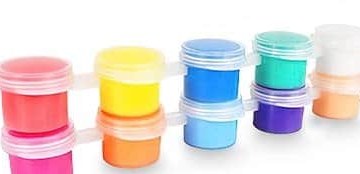
Numbered paint pots are included with the kit.
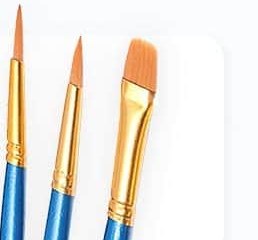
Fine, medium and flat brushes are listed with the kit; brush clearance was not measured in this comparison.
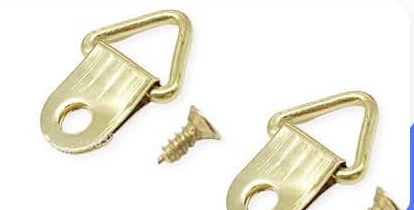
Brackets and screws included, so it goes straight on the wall when you finish.
Upload a photo and inspect the numbered preview. Processing time varies with the photo, settings and device.
Compare the reduced-colour preview and numbered regions. A preview is not a physical painting or a guarantee of the paid export.
Compare colour settings and inspect the numbered regions at the intended print scale before ordering.