Can AI Turn a Photo Into Paint by Numbers?
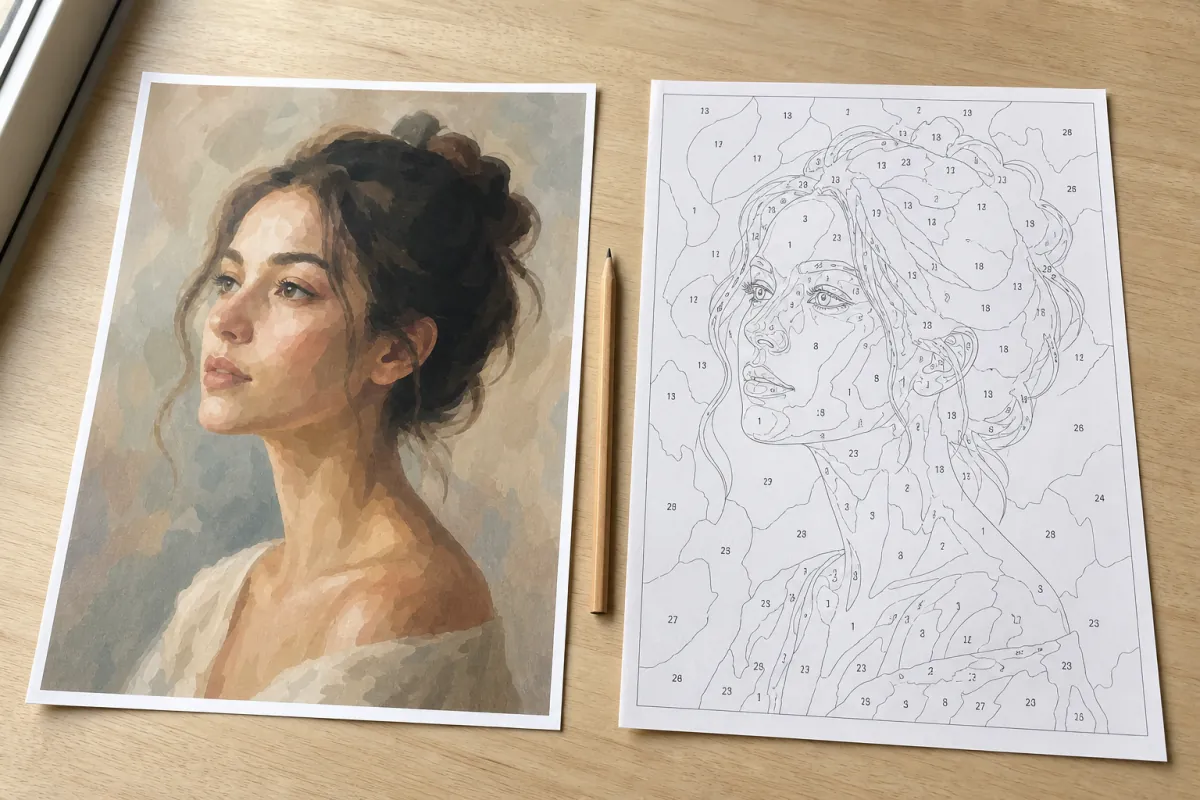
You paste a photo of your dog into a chatbot and ask for a paint by numbers version. Half a minute later there it is: outlines, little numbers, the whole thing. It looks exactly right. Then you print it, sit down with the paints, and find that the ear has no line around it, the number 7 turns up in four areas that are clearly not the same colour, and one of the numbers is not a number at all — it is a squiggle that looks like one.
That is not a bad prompt. It is the tool doing precisely what it was built to do.
Generating and converting are opposite jobs
An image generator makes new pixels. You describe something, and it produces a picture that matches the description — including a picture that looks like a paint by numbers sheet, because it has seen thousands of them. What it produces is a drawing of a pattern, not a pattern.
Converting your photo is the opposite job. Nothing may be invented. Every area has to come from pixels that are already in your photo, every outline has to close, and every number has to point at one specific pot of paint. A tool that improvises anywhere in that chain has broken it.
That difference shows up in three places, and you can check all three in a minute:
| What to check | A real pattern | A generated picture of one |
|---|---|---|
| The outlines | Every area is fully closed, so paint cannot run from one into the next | Lines fade out or stop halfway, especially in hair and fur |
| The numbers | The same number always means the same colour, everywhere on the sheet | A number appears in areas that are visibly different colours |
| The legend | A list of the exact colours used, each one matching a paint you can buy | Either missing, or a list that does not add up to the numbers on the sheet |
So what does do it, if not AI?
Measuring, not imagining. Your photo goes in, the pixels get grouped into as many colour areas as you asked for, each group is matched against a palette of real acrylic paints, the boundary of every group becomes a closed outline and the number gets printed inside it. No step in that chain adds anything that was not in your photo. That is why the result still looks like your dog.
The setting that decides whether it is paintable is not the colour count — it is the smallest area the tool is willing to keep. On a portrait of 40 by 50 centimetres at 36 colours, a floor of 5 mm gave 552 areas and turned the iris into one grey shape. At 2.5 mm the same photo gave 974 areas and the pupil came back, highlight and all. Same photo, same colours, and the difference between a face and a person.
Where AI actually helps
Before the conversion, not during it. A model that removes a busy background, straightens a crooked shot or sharpens a slightly soft photo makes the pattern better, because it improves the input the measuring works on. Those tools are genuinely useful and we would not talk you out of them.
And to argue against our own side for a moment: the line is going to blur. Segmentation models — the kind that can tell an ear from the background behind it — are AI too, and they are better at finding the edge of an object than pure colour maths is. A generator that first segments the photo properly and only then draws the outlines would be doing the right job with AI in it. What does not work is the shortcut people are actually taking tonight: asking a picture model for a picture and expecting a printable pattern to fall out.
Try this on your own photo tonight
Take whichever pattern you were about to print — from a chatbot, from a generator, from anywhere — and follow one outline with your fingertip all the way around a single area. If your finger comes back to where it started without leaving the line, the pattern is real. If the line runs out somewhere along the way, put the paints back in the cupboard; that area will bleed into the next one the moment your brush touches it.
You can run your own photo through the generator here and do the finger test on the result. It is free and there is no limit on tries. If you want the longer version of how generators differ, read which paint by numbers generator to use, and which photos convert well covers what to feed it.
What we are watching
Whether the image models start closing their outlines. The moment a generated sheet survives the finger test, this whole article is out of date and we will say so here. Until then, a picture of a paint by numbers is still just a picture.